New article
Recently updated
Managing an audit type

Who is this article for?Users responsible for managing audit records..
Audit module access is required.
An audit is an independent examination of financial information, systems, operations, or processes of an organisation to provide assurance on their accuracy, reliability, and compliance with applicable laws, regulations, and standards.
This article shows you how to change the audit type status or remove the audit type from the system.
1. Activating an audit type
Before an audit type can be selected when creating an audit record, it needs to be activated.
To activate an audit type:
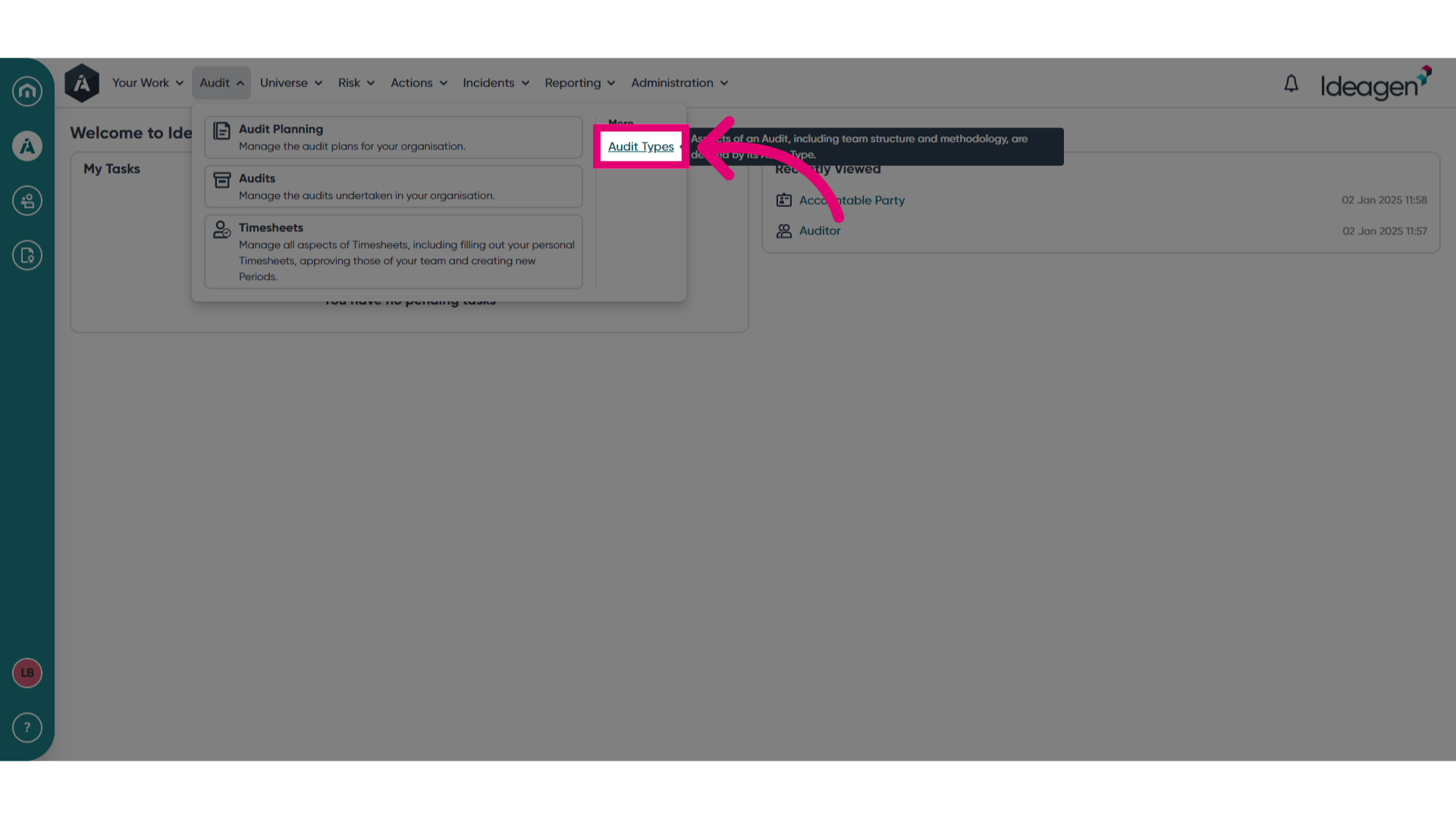
- Open the Audit menu.
- Select Audit Types.
- Open the Actions menu.
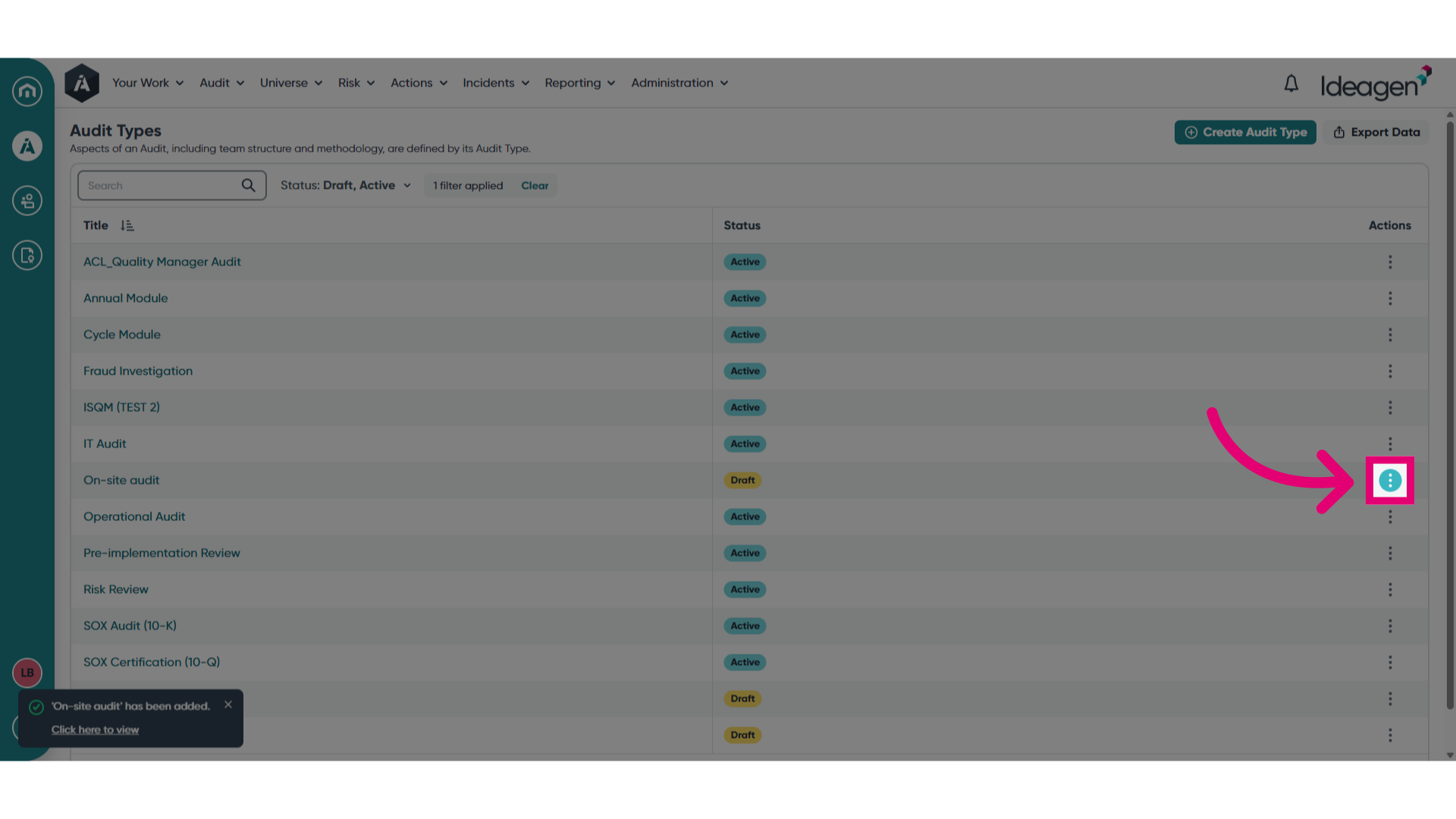
- Click Set as active.
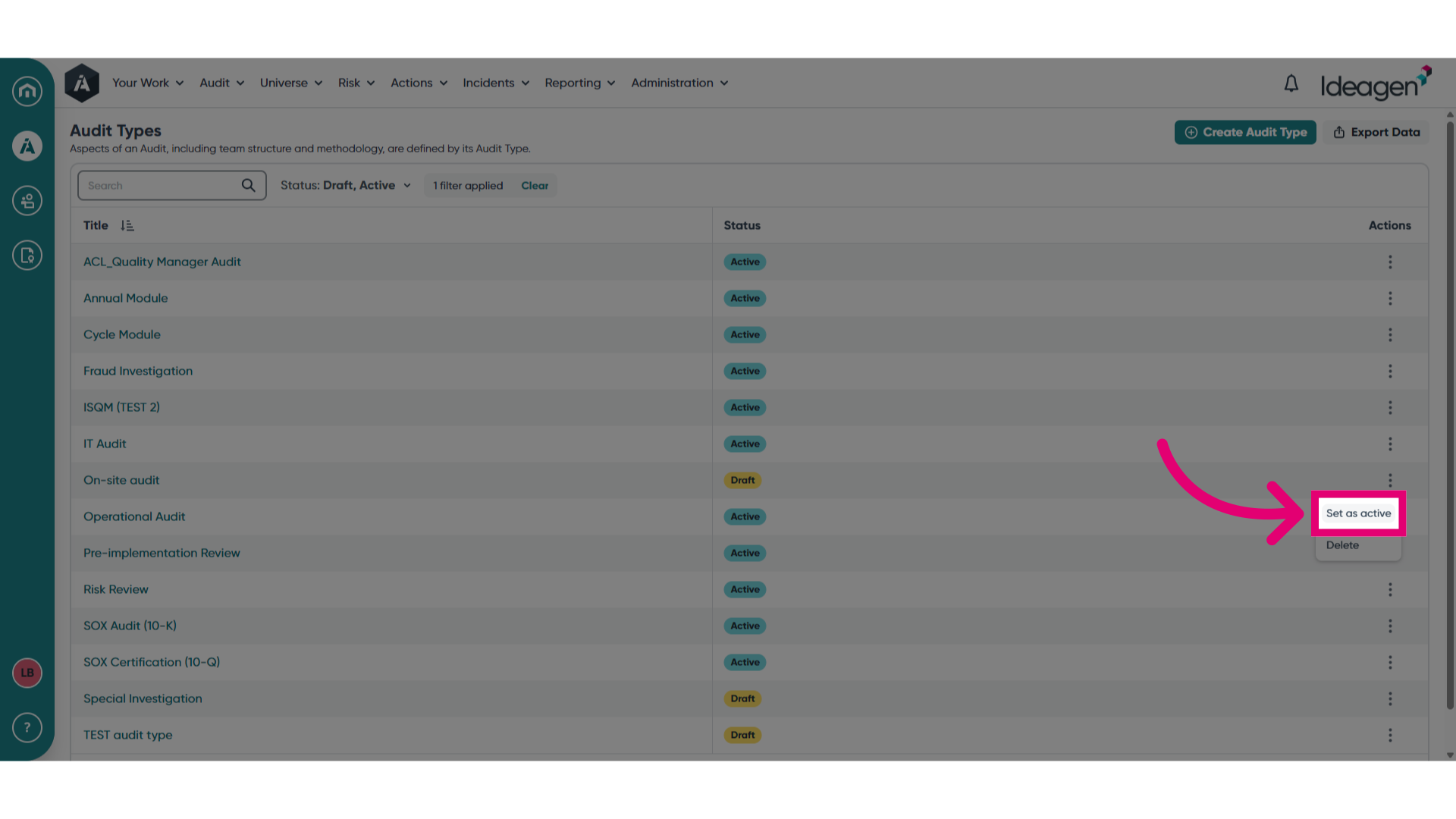
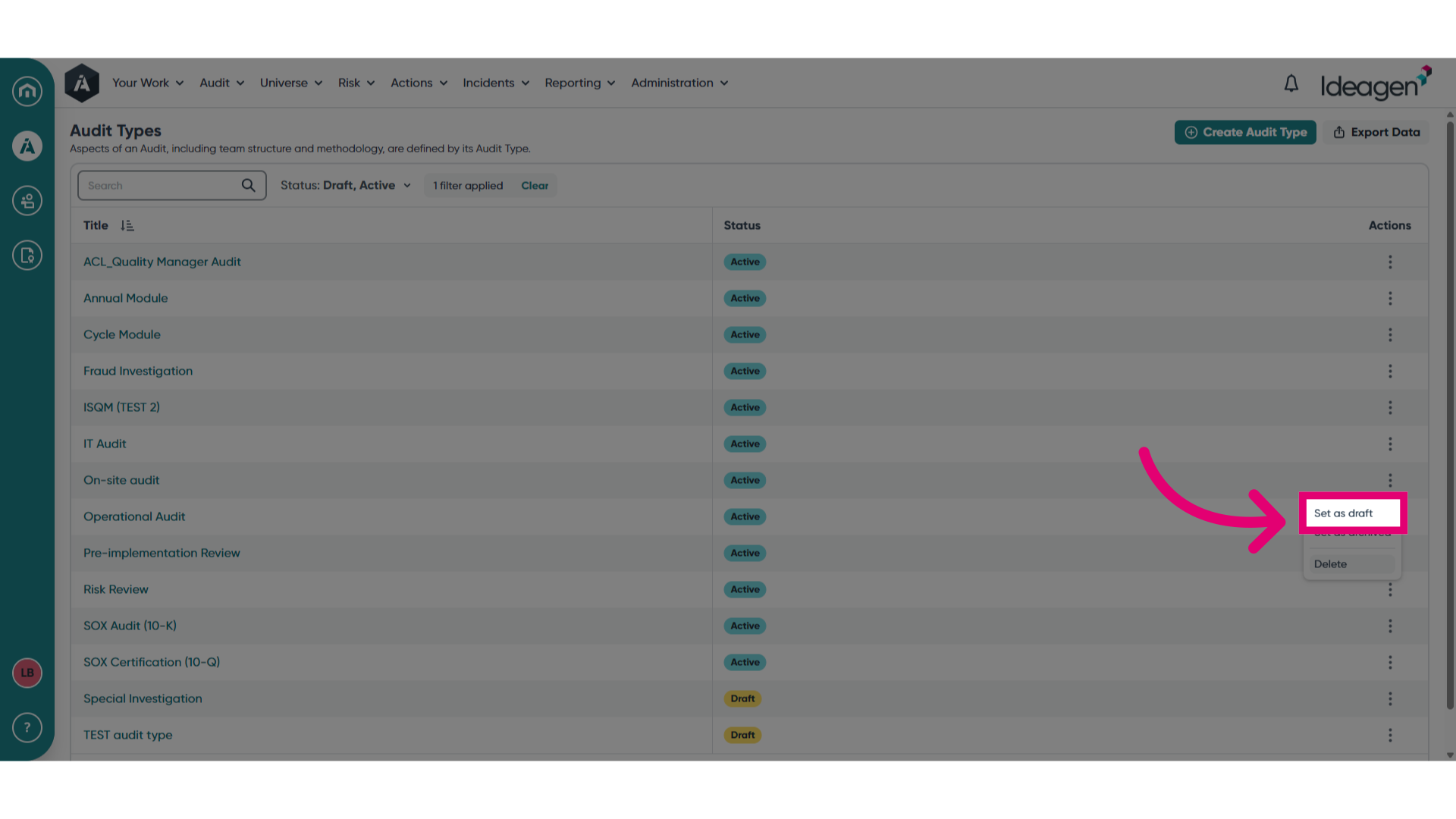
To deactivate the audit type and remove it from usage, you can revert it to a draft status by selecting Set as draft from the menu.
2. Archiving an audit type
You can remove an obsolete audit type from usage, while retaining its record, by archiving it.
To archive an audit type:
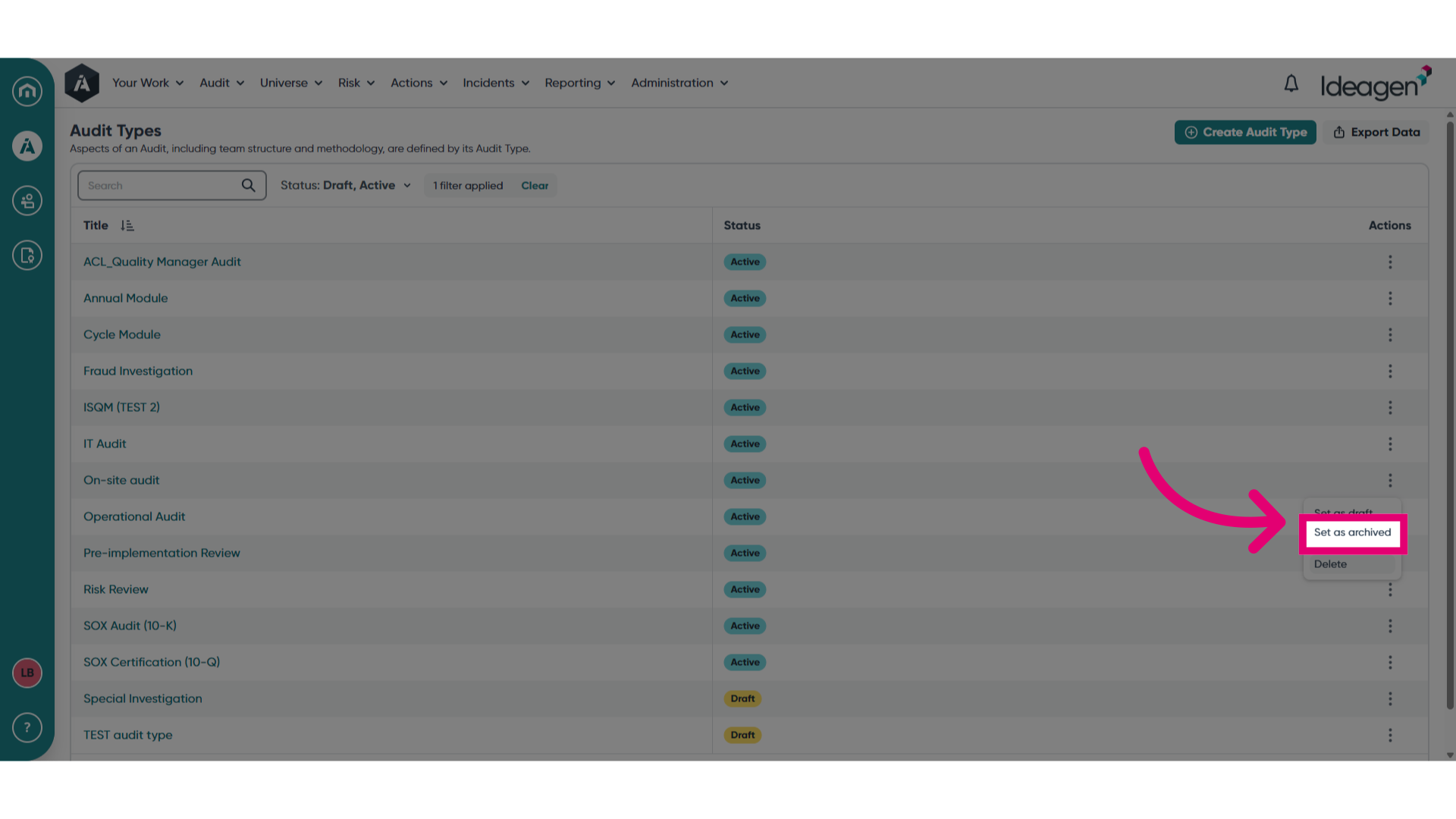
- Open the Actions menu.
- Select Set as archived.
3. Deleting an audit type
You can remove an obsolete audit type from usage, without retaining its record, by deleting it.
To delete an audit type:
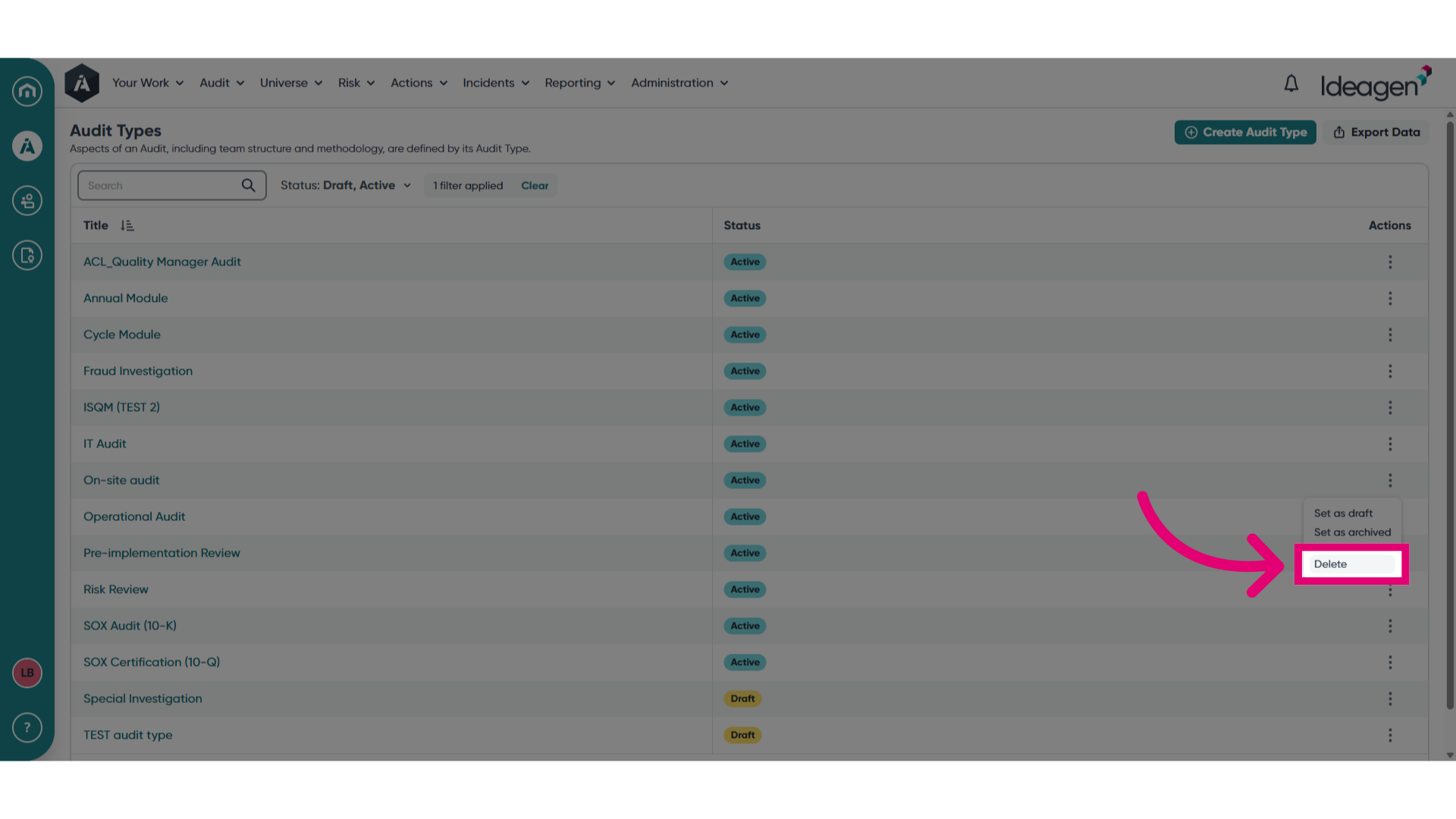
- Open the Actions menu.
- Select Delete.
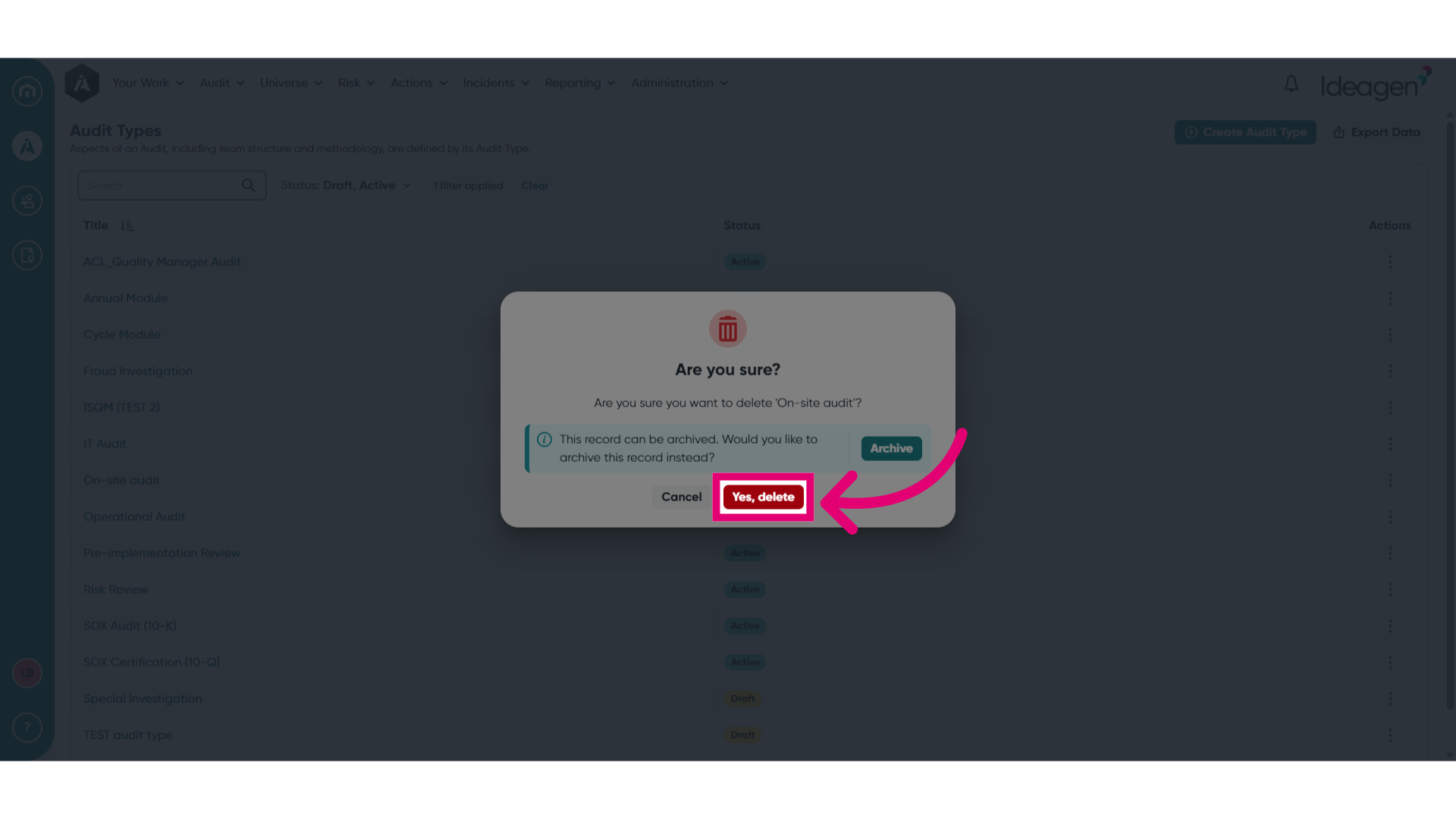
- Click Yes, delete.
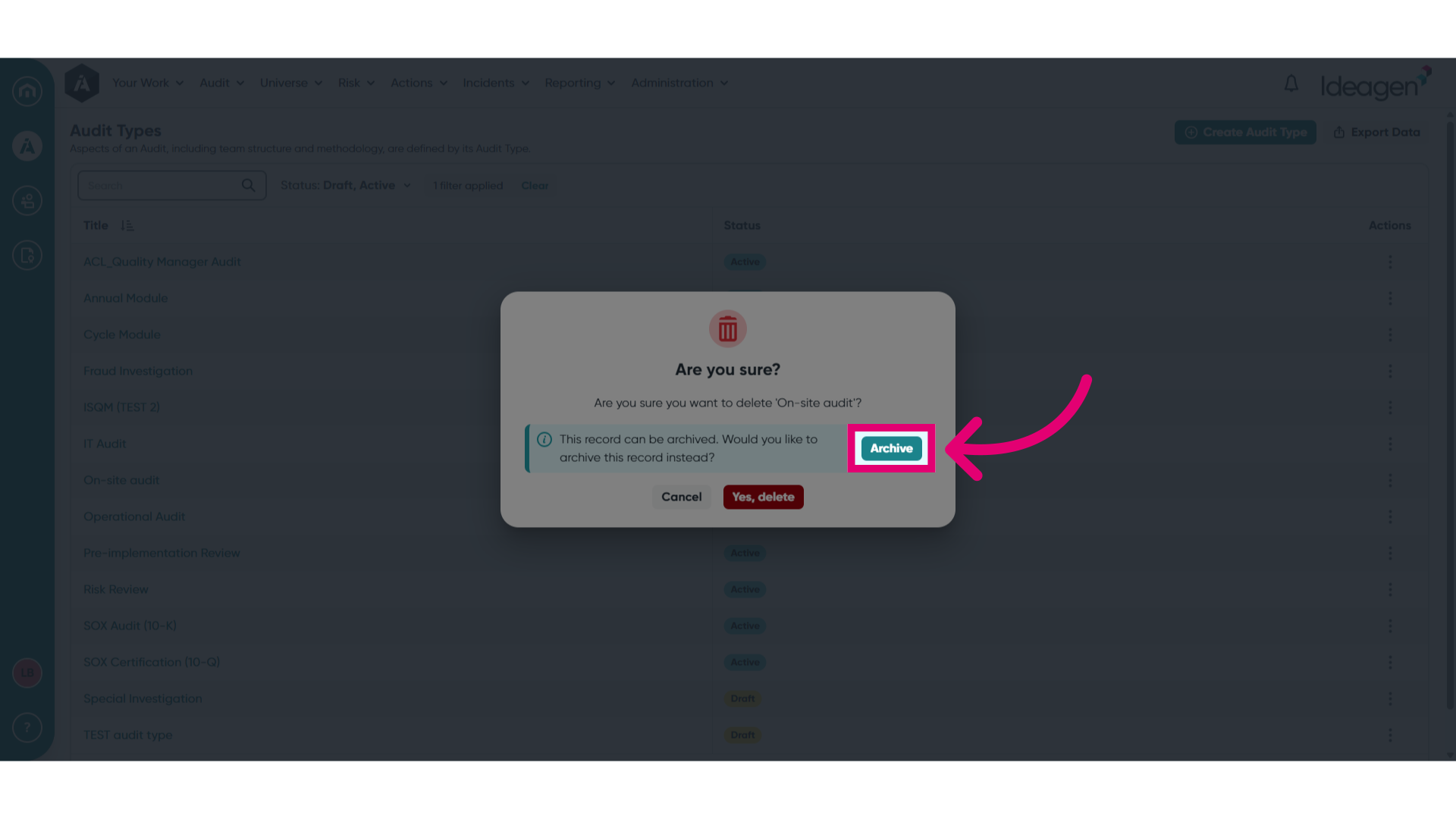
You also have the option to archive the audit type instead from this pop up.