New article
Recently updated
Exporting audit data

Who is this article for?Users interested in audit data insights.
Audit module access is required.
To make reviewing current and historical audit data easy, you can export a custom view of all audit records at any time.
This article shows you where you can generate this export.
1. Exporting data
To export audit data:
- Open the Audit menu.
- Select Audits.
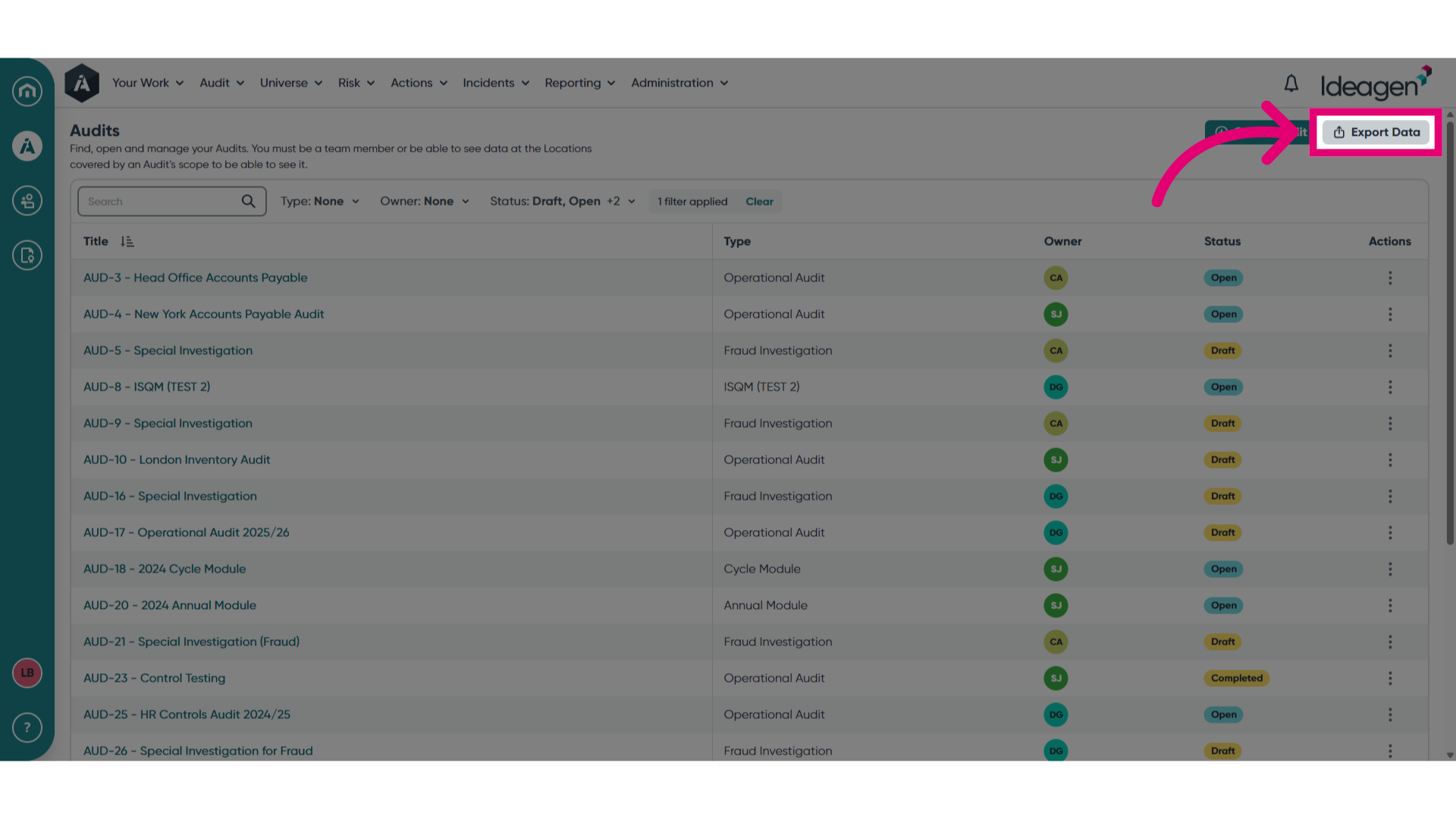
- Click Export Data.
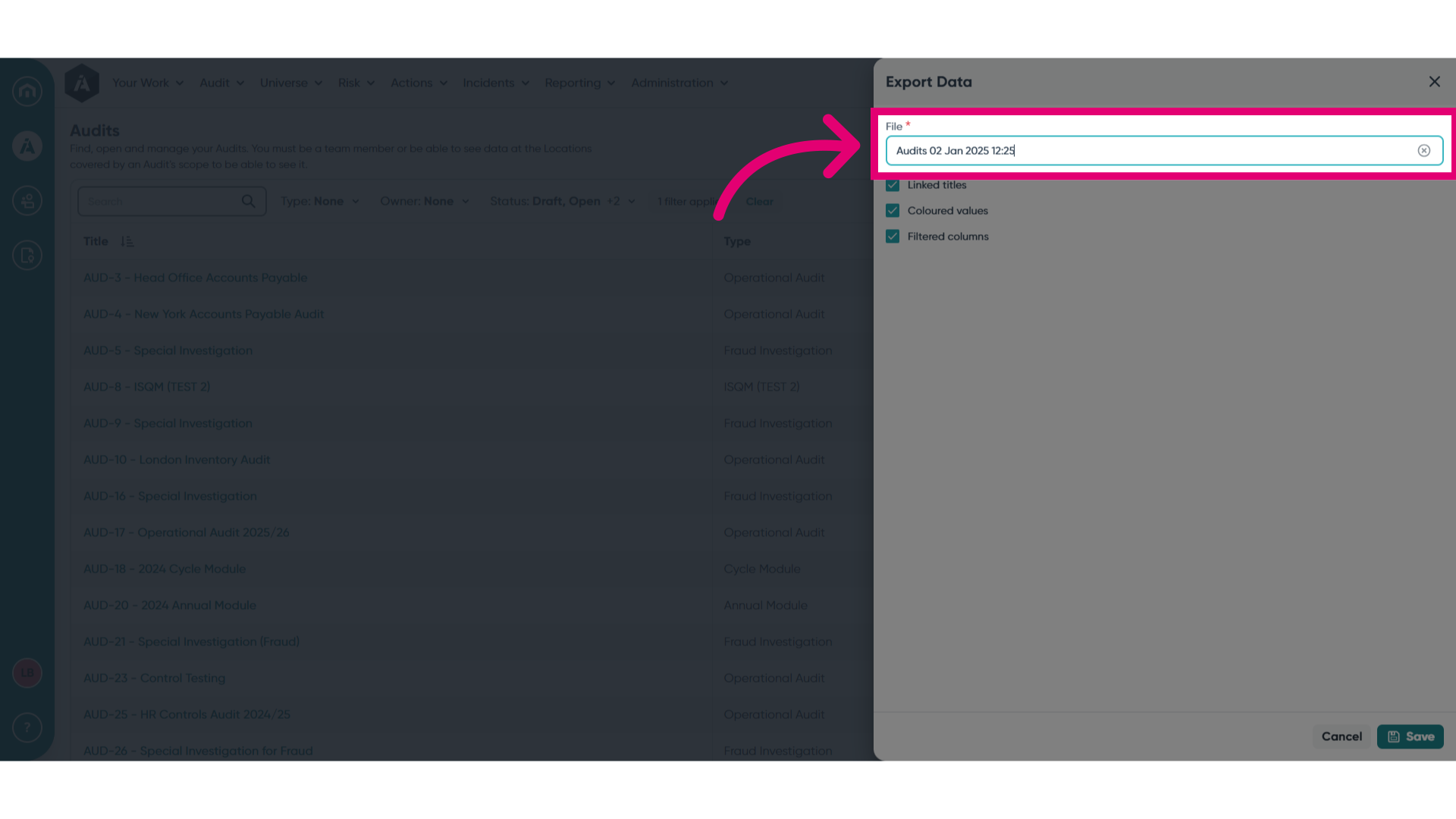
- Give your file a name.
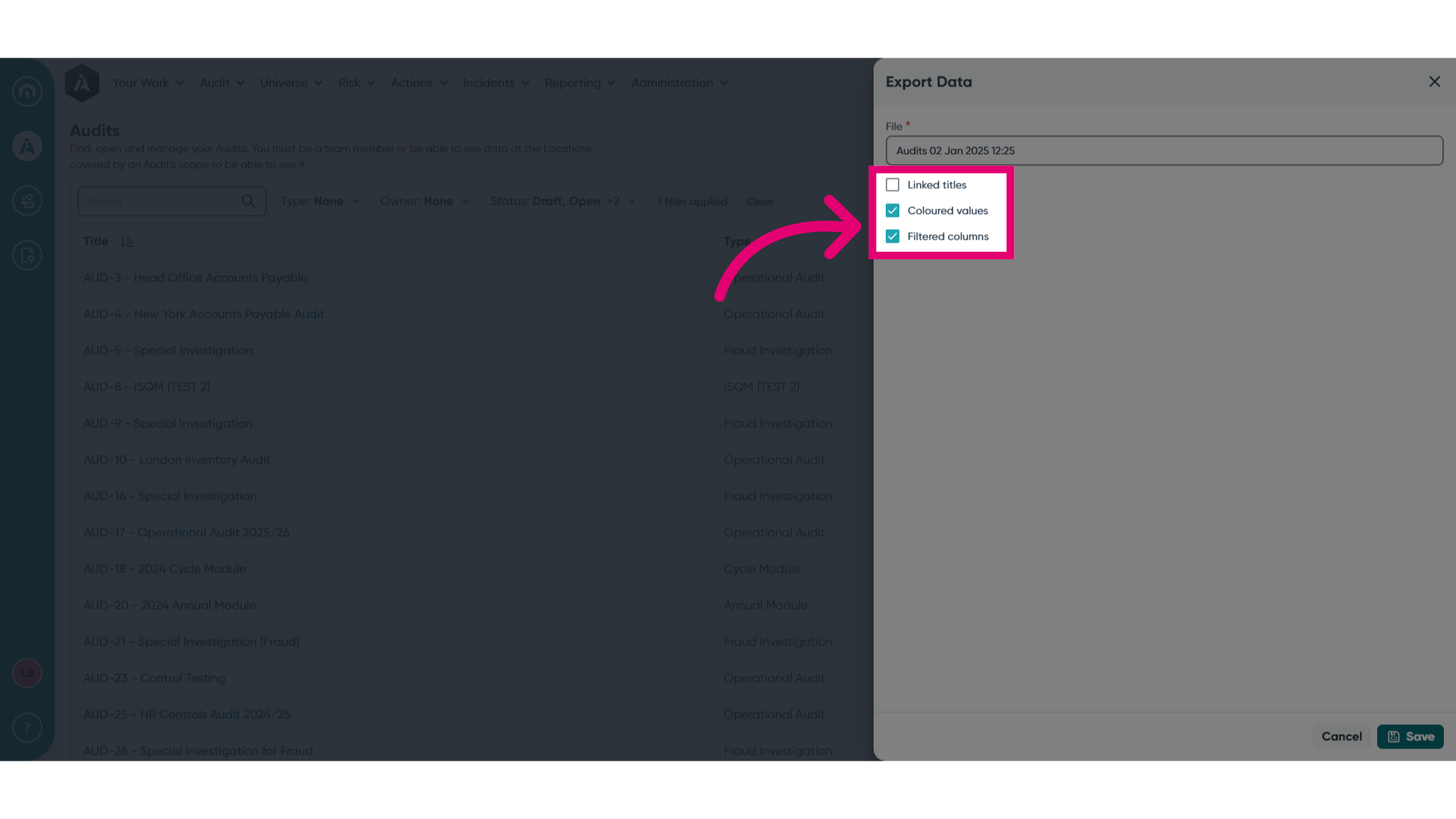
- Select export options.
- Click Save.
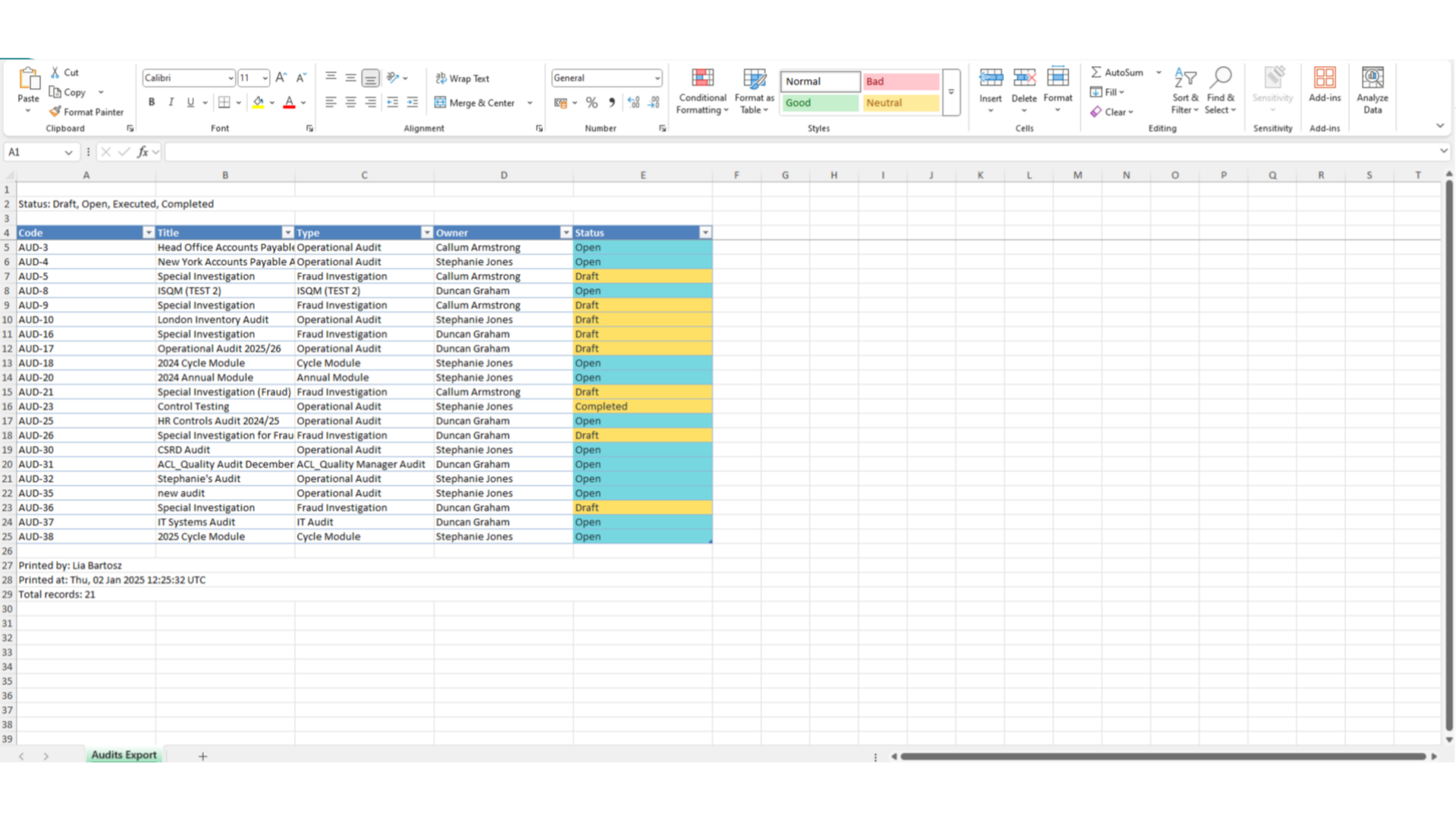
You will see your export appear in your browser downloads. Opening the download will take you to the spreadsheet with the exported audit details.